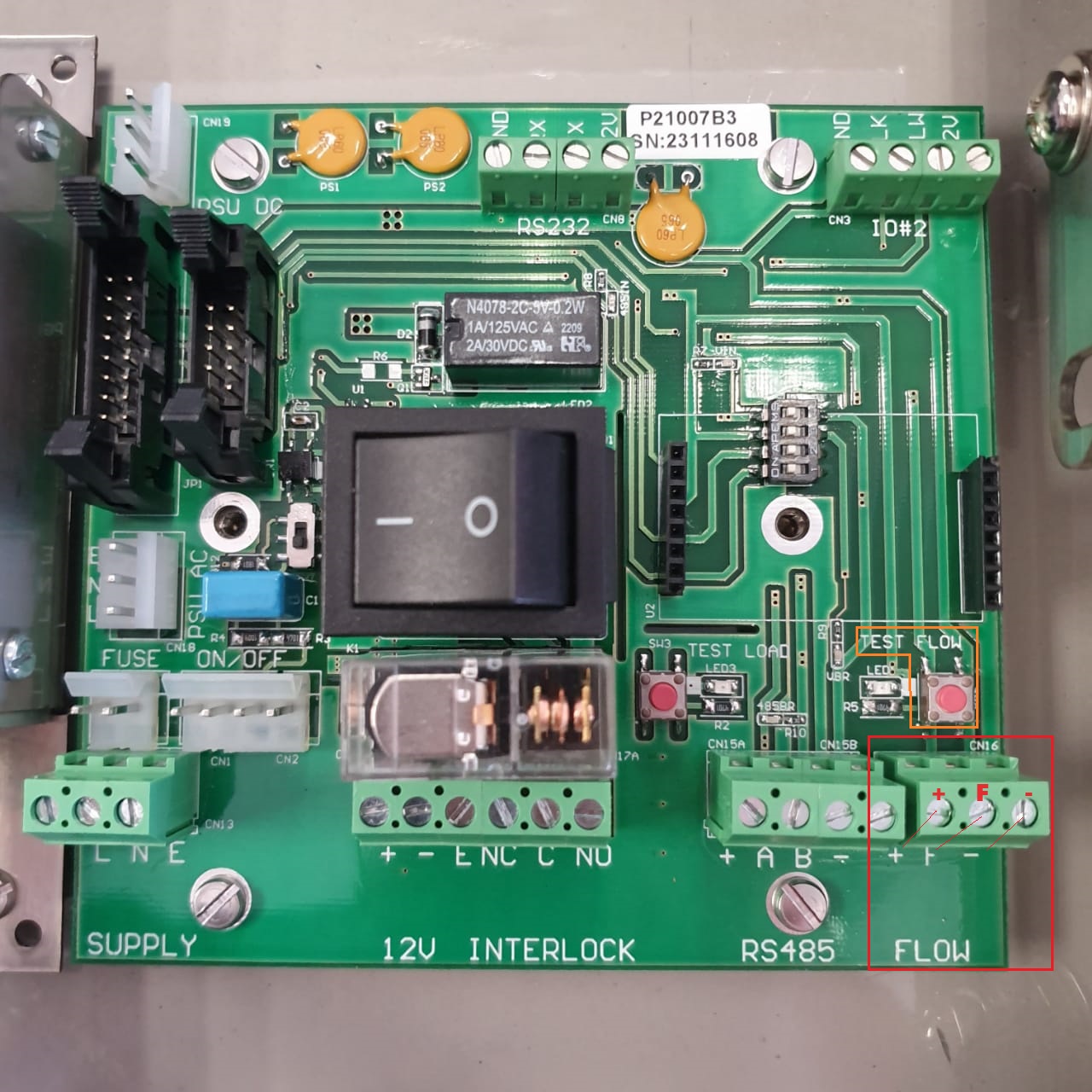
To ascertain whether a fault lies within the FAMS system, follow the steps outlined below:
1. Flow Test Procedure:
1.1: Turn off the FAMS system using the on/off switch located at the base of the enclosure.
1.2: Unlock and open the FAMS system enclosure.
1.3: Locate the pulser connector on the FAMS wiring board at the bottom right. (Check image below encircled in red)
1.4: Disconnect the pulser Flow wire, typically found in the middle of the 3-point connector and marked with an 'F' on the wiring board.
1.5: Identify the Test Flow Button positioned above the flow connector. (Check image below encircled in Orange)
1.6: Switch on the FAMS System.
1.7: Initiate a transaction using your tags.
1.8: While the transaction is in process (physical fuel dispensing is unnecessary), pulse the Flow test button (press, release, press, release) to generate test pulses.
1.9: Check the transaction screen to verify if liters are being generated in the transaction.
If liters are generated on the FAMS transaction and the wiring board and FAMS system are functioning correctly:
2. Fault Finding Procedure:
2.1: Restore pulser wiring and proceed to perform fault finding on pulser wiring and the pulser.
2.2: Examine pulser wiring for any damage or loose connections.
2.3: Conduct fault finding on the pulser, referring to the article on Pulser fault finding.
By following these steps, you can systematically identify and address any issues related to the FAMS system or pulser, ensuring proper functionality.